






Creating a home office space that is both productive and comfortable is essential for anyone working remotely or managing tasks from home. With the right setup, you can improve focus, reduce stress, and enjoy your workday more. Here are some detailed tips to help you design your ideal home office.
Choose the Right Location
Consider Natural Light
Selecting a spot with plenty of natural light can boost your mood and energy levels. Try to place your desk near a window but avoid glare on your computer screen. If natural light is limited, consider using warm, bright LED bulbs.
Minimise Distractions
Look for a quiet area away from busy parts of your home. This could be a spare room, a corner in the living room, or even a converted cupboard. The goal is to create a space where you can focus without interruptions.
Invest in Comfortable Furniture
Ergonomic Chair
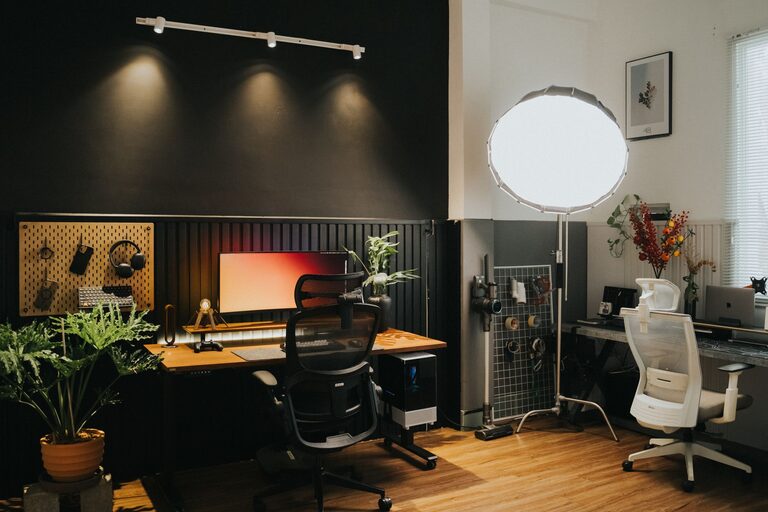
A supportive, adjustable chair is vital. Look for one that supports your lower back and encourages good posture, which helps prevent discomfort during long working hours.
Functional Desk
Choose a desk that fits your space but also accommodates your equipment. A desk with enough surface area allows you to spread out papers, a laptop, and other tools without feeling cramped.
Organise Your Workspace Wisely
Declutter Regularly
Keep your desk tidy by storing away items you don’t use daily. A clutter-free workspace encourages clear thinking and can reduce stress.
Storage Solutions
Use shelves, filing cabinets, or desk organisers to keep documents and office supplies orderly. Label boxes or folders for easy access.
Optimise Your Technology Setup
Monitor and Keyboard Position
Place your monitor at eye level and about an arm’s length away to reduce eye strain. Use an external keyboard and mouse if working on a laptop for better ergonomics.
Reliable Internet and Power
Ensure your internet connection is stable to avoid disruptions. Also, have enough power sockets and consider a surge protector to safeguard your electronics.
Personalise Your Space
Add Greenery
Plants can improve air quality and add a touch of nature, which can increase feelings of calm and creativity.
Personal Touches
Include photos, artwork, or motivational quotes that inspire you, but don’t overdo it. A balanced personalised space feels welcoming without being distracting.
Pay Attention to Lighting
Task Lighting
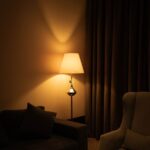
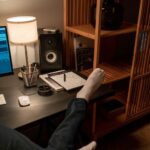
Use desk lamps with adjustable brightness to provide focused light where you need it, especially for reading or detailed work.
Ambient Lighting
Soft overhead lighting can reduce eye strain and create a warm atmosphere. Avoid harsh fluorescent lights if possible.
Maintain a Comfortable Environment
Temperature Control
Keep your workspace at a comfortable temperature. Use a fan, heater, or open windows to maintain pleasant conditions.
Noise Control
If noise is an issue, consider using noise-cancelling headphones or white noise machines to help maintain concentration.
Set Boundaries Between Work and Leisure
Defined Work Hours
Establish clear working times to maintain a healthy work-life balance. This helps your mind switch between work mode and relaxation.
Separate Work Zone
Try to keep your work area separate from spaces associated with rest or entertainment to reinforce mental boundaries.
Take Regular Breaks
Remember to stand up, stretch, or take a short walk during the day to reduce fatigue and increase productivity. Breaks help refresh your mind and keep you focused.
—
Creating a productive and comfortable home office is about combining practical features with personal preferences. By thoughtfully organising your space and paying attention to comfort, you can cultivate an environment that supports your best work. Whether you have a whole room or a small corner, these tips can help you transform it into an effective home office.